
2015 • NYC • Student project
Designing a print feature
OVERVIEW
In a team of three, we were tasked to design a print feature for Instagram’s mobile app. With few restrictions, we aimed to create a streamlined process where users could select, customize, and order individual photo prints. Users could personalize each print by adjusting size, adding a border, choosing paper type, and opting for a frame. After a quick checkout, the printed photos would be delivered to their doorstep.
My Role
I was responsible for Contextual Inquiry, User Interviews, User Testing, and Prototyping, while also collaborating on Sketching and Final Designs.
DISCOVERY
Contextual Inquiry
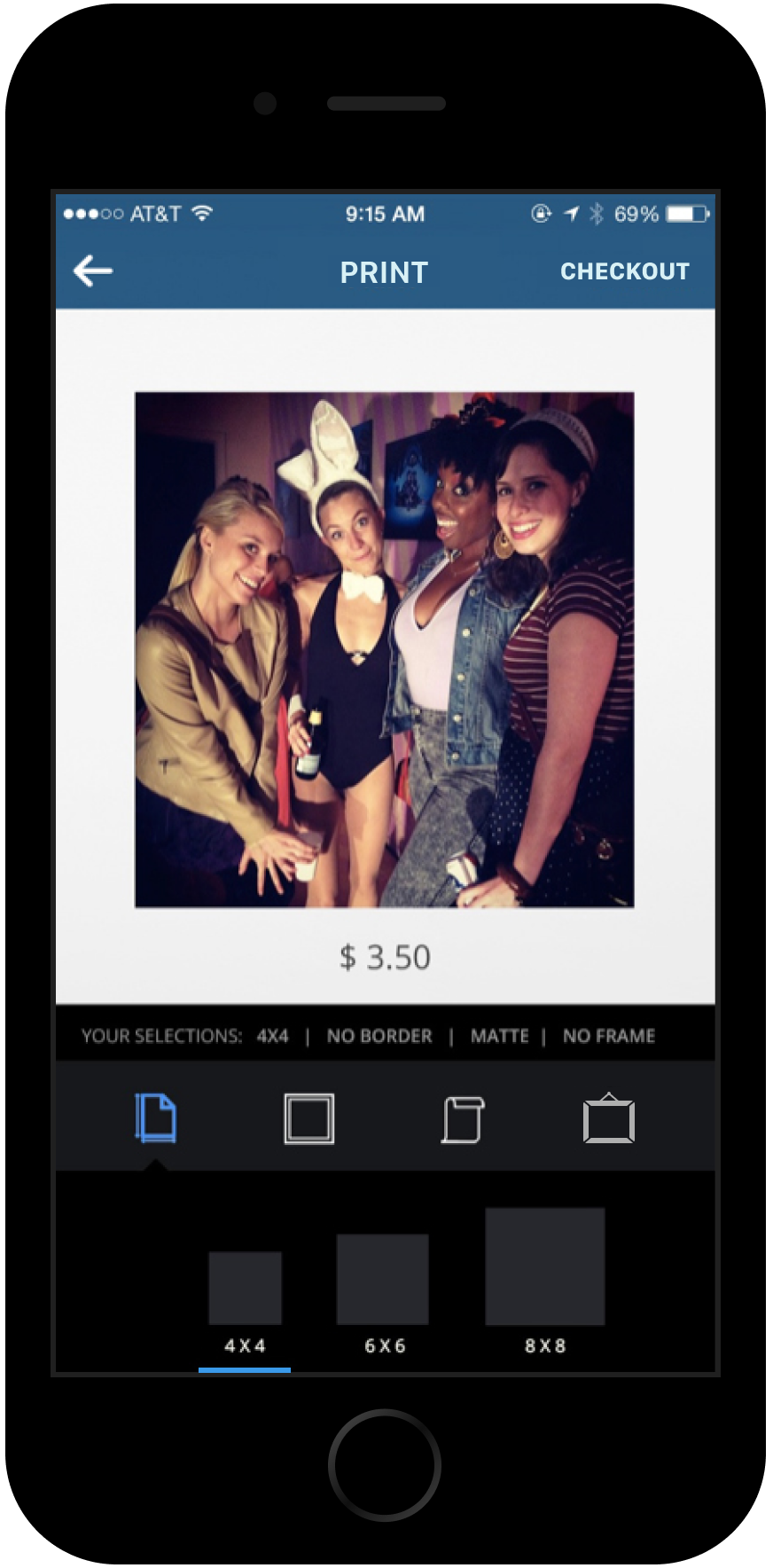
To understand people's current printing habits, we visited print shops around Manhattan and interviewed employees, learning that customers do indeed print Instagram photos, typically in sizes like 4x4 or 6x6 inches. We conducted our own tests, printing Instagram photos at various sizes to determine the maximum size without quality degradation. We found that 6x6 inches was ideal, with 8x8 inches being the largest feasible size. After experimenting with paper types, we opted to keep it simple, offering users a choice between glossy or matte finishes.

Competitive Analysis
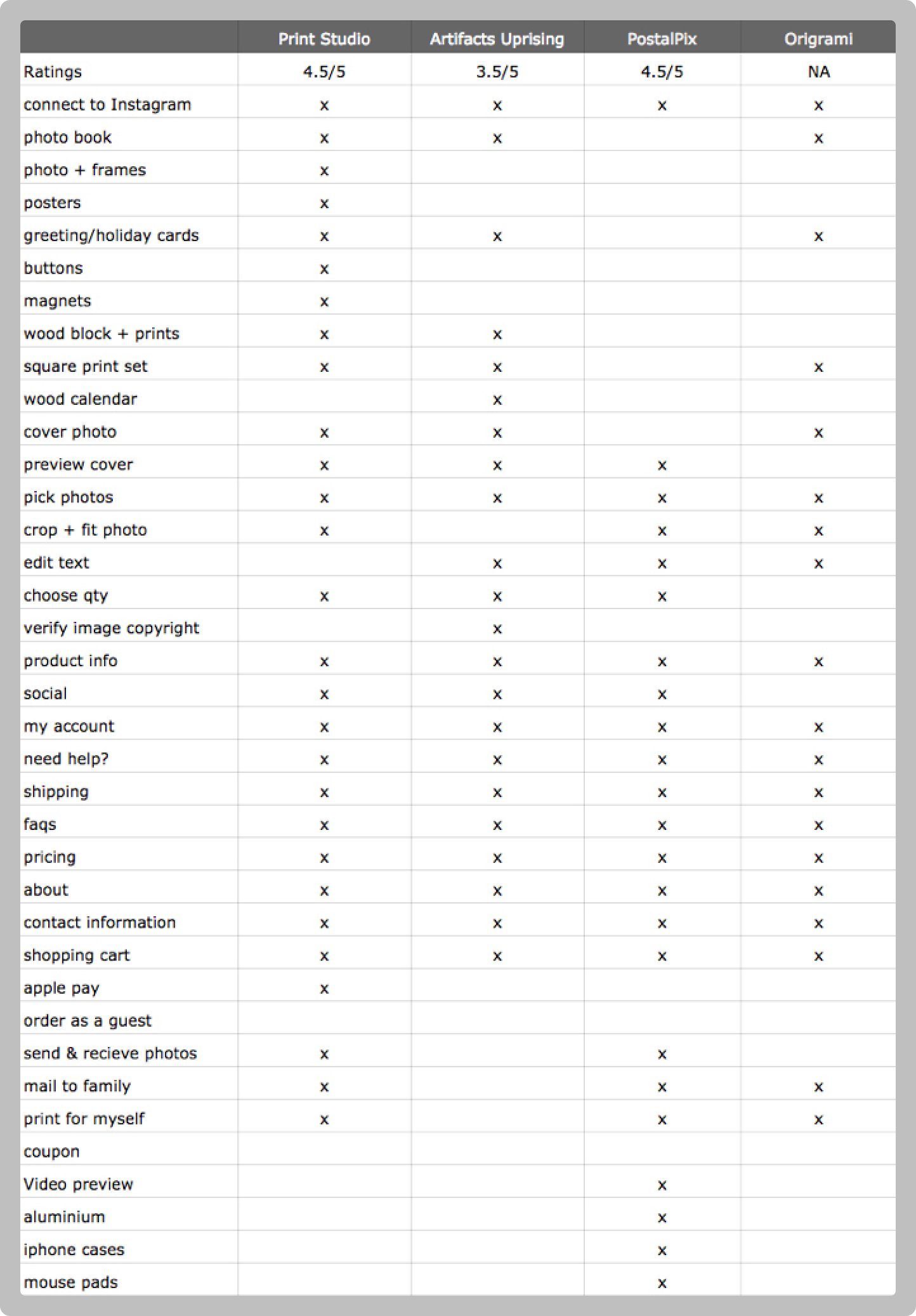
We analyzed popular printing apps and found they often suffered from "Featuritis," burdening users with too many options that led to a confusing and cluttered experience. We aimed to keep our feature simple and user-friendly. Less is more for this integration with Instagram.
User Interviews & Surveys
To better understand our users' needs, we conducted user interviews and sent out surveys. We received 90 responses and found that 91% wanted individual prints, 87% would purchase prints for themselves and 83% would purchase prints to gift to friends and family and 73% wanted the option to frame.
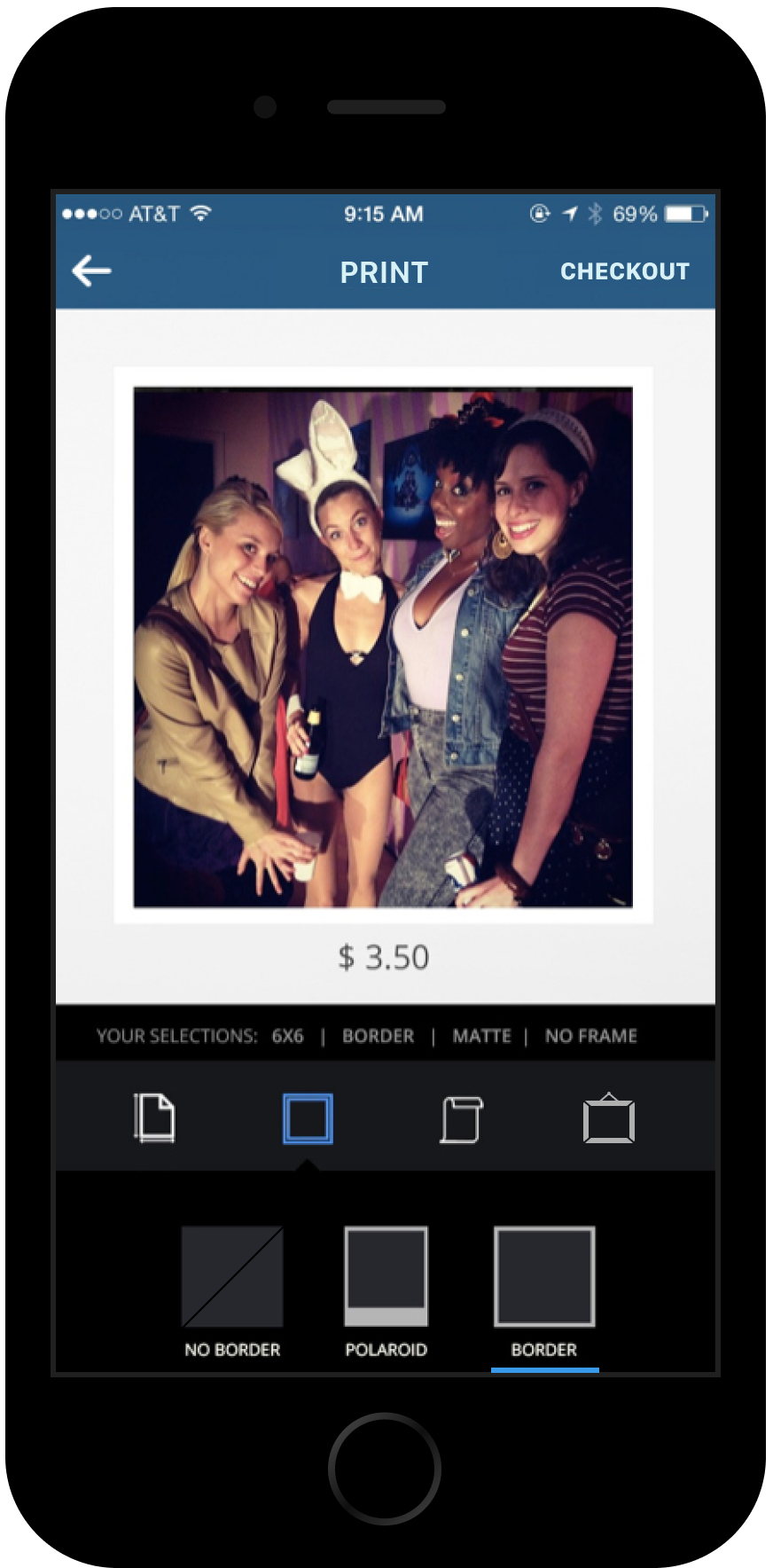
These findings validated our decision to keep the feature simple, focusing on individual prints with options for framing and gifting. Another popular request was the ability to choose a border resembling a Polaroid, which we incorporated for its nostalgic appeal..

IDEATE
MVP
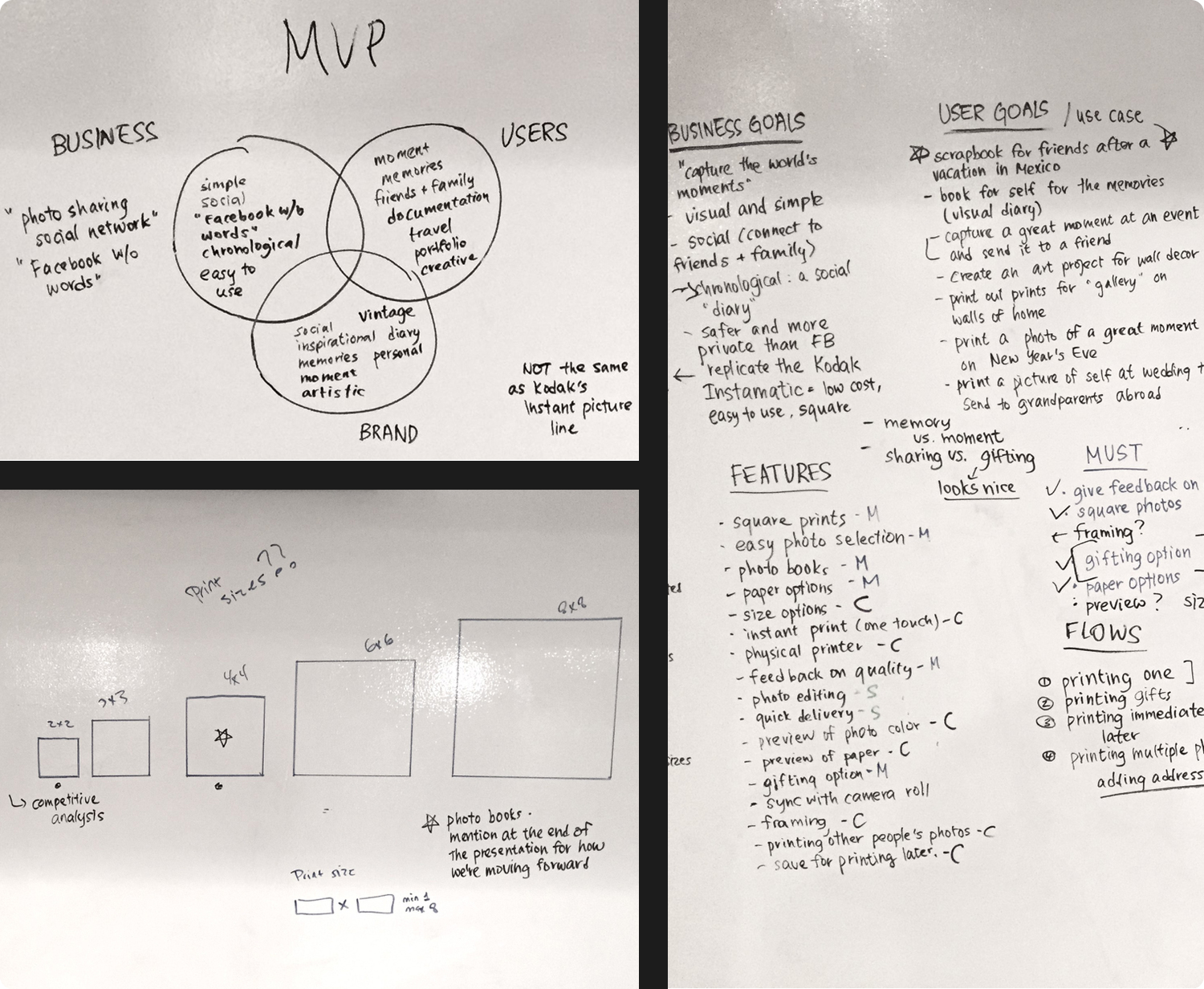
Following extensive research, we focused on creating a minimal and straightforward printing feature for our MVP. The goal was to enable users to effortlessly order single prints with essential customization options. The MVP centered around:
- Single Print Orders: Users can order one print at a time, ideal for personal use or gifting.
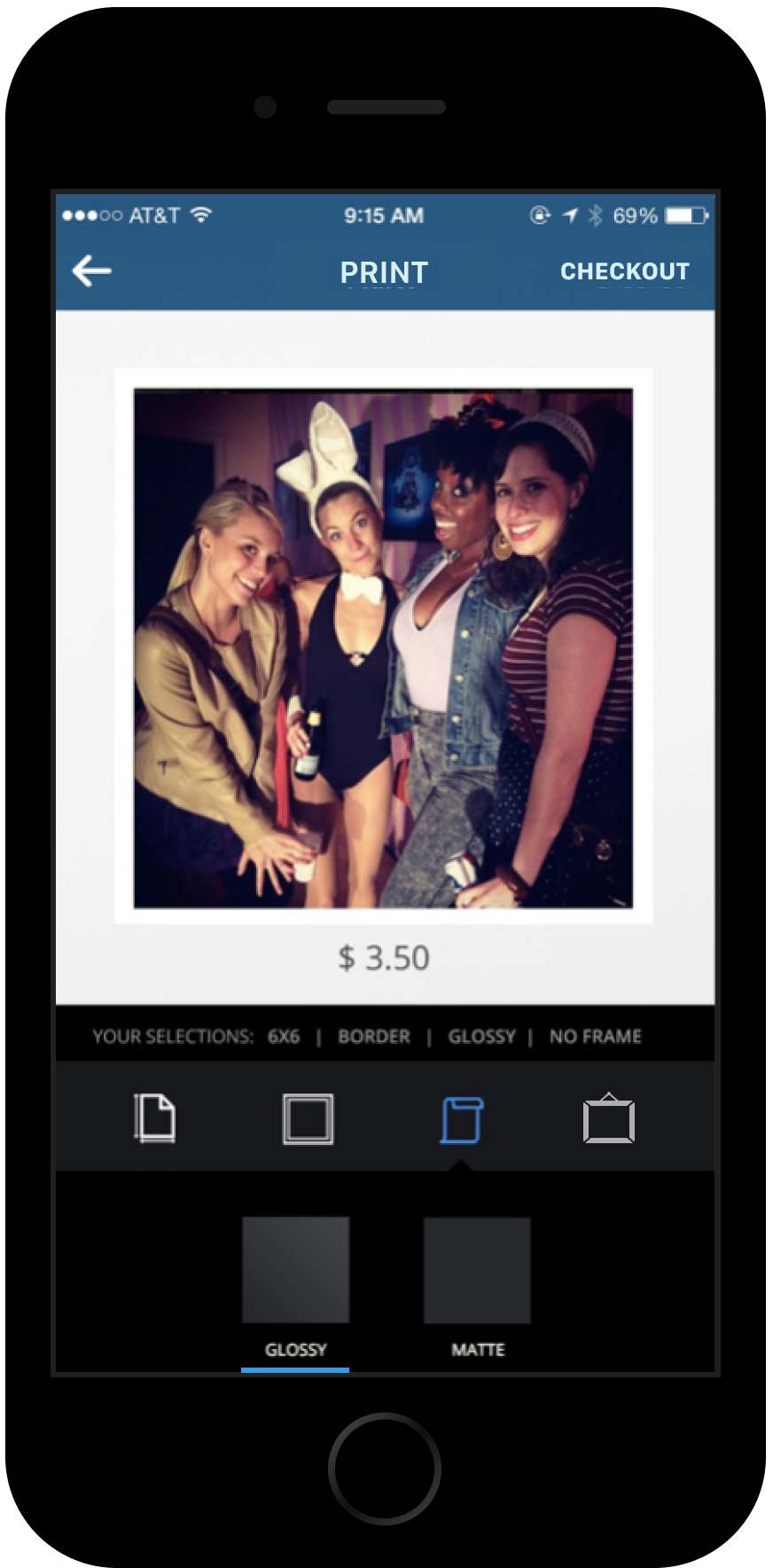
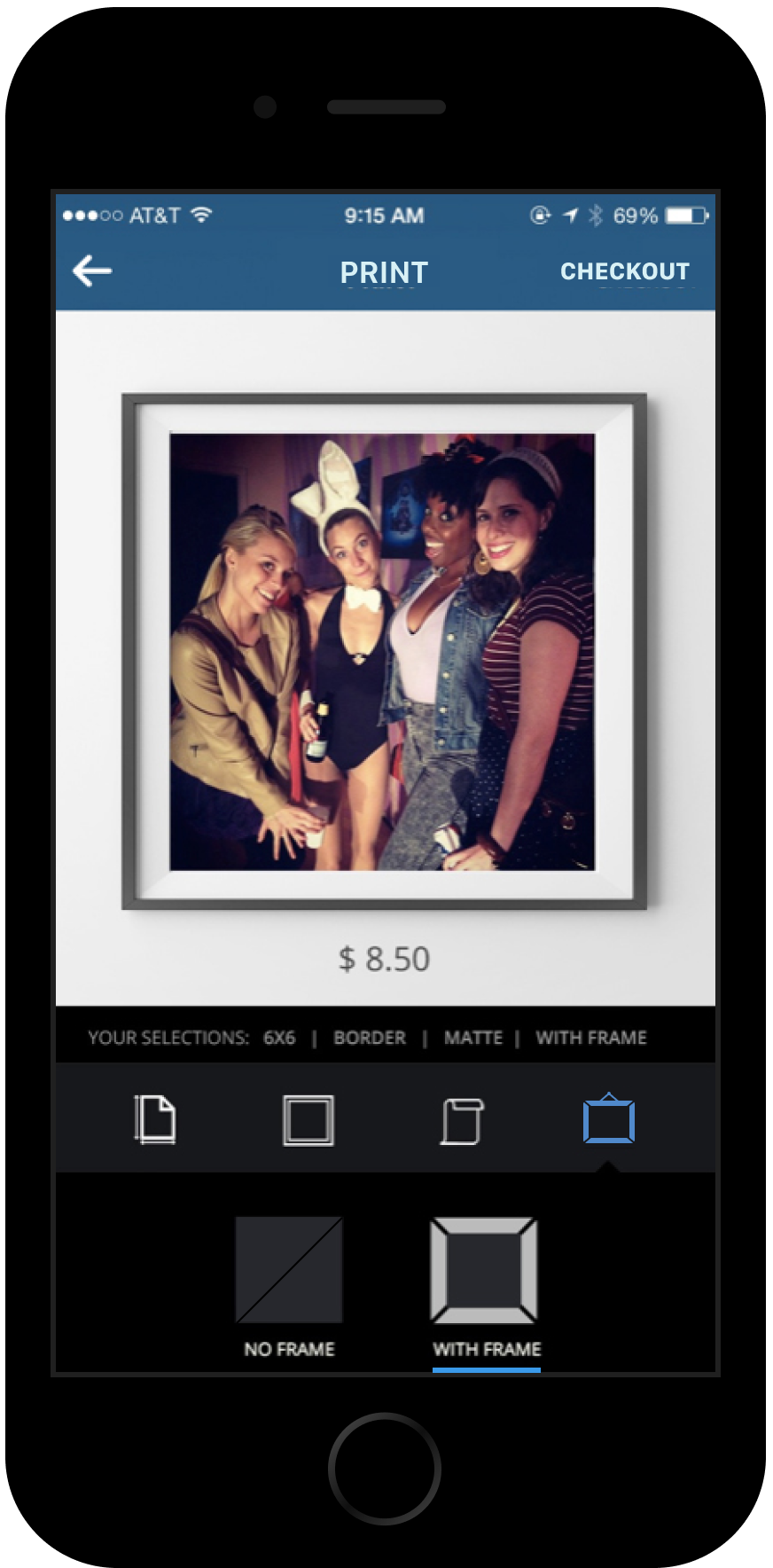
- Customizable Options: Simple choices for paper type (glossy or matte), print size, border type (including a Polaroid-style border), and framing.
- Gifting Feature: Users can include personalized messages for prints intended as gifts.
This allowed us to deliver a simple and user-friendly experience, aligning with Instagram’s clean design. In one sentence, our MVP became:
A single, customizable print that can be gifted to friends and family.
Features
We narrowed down our features to 6 must haves:

Paper Type

Print Size

Frames

Border Type

Personalized messages

Gifting
User Testing
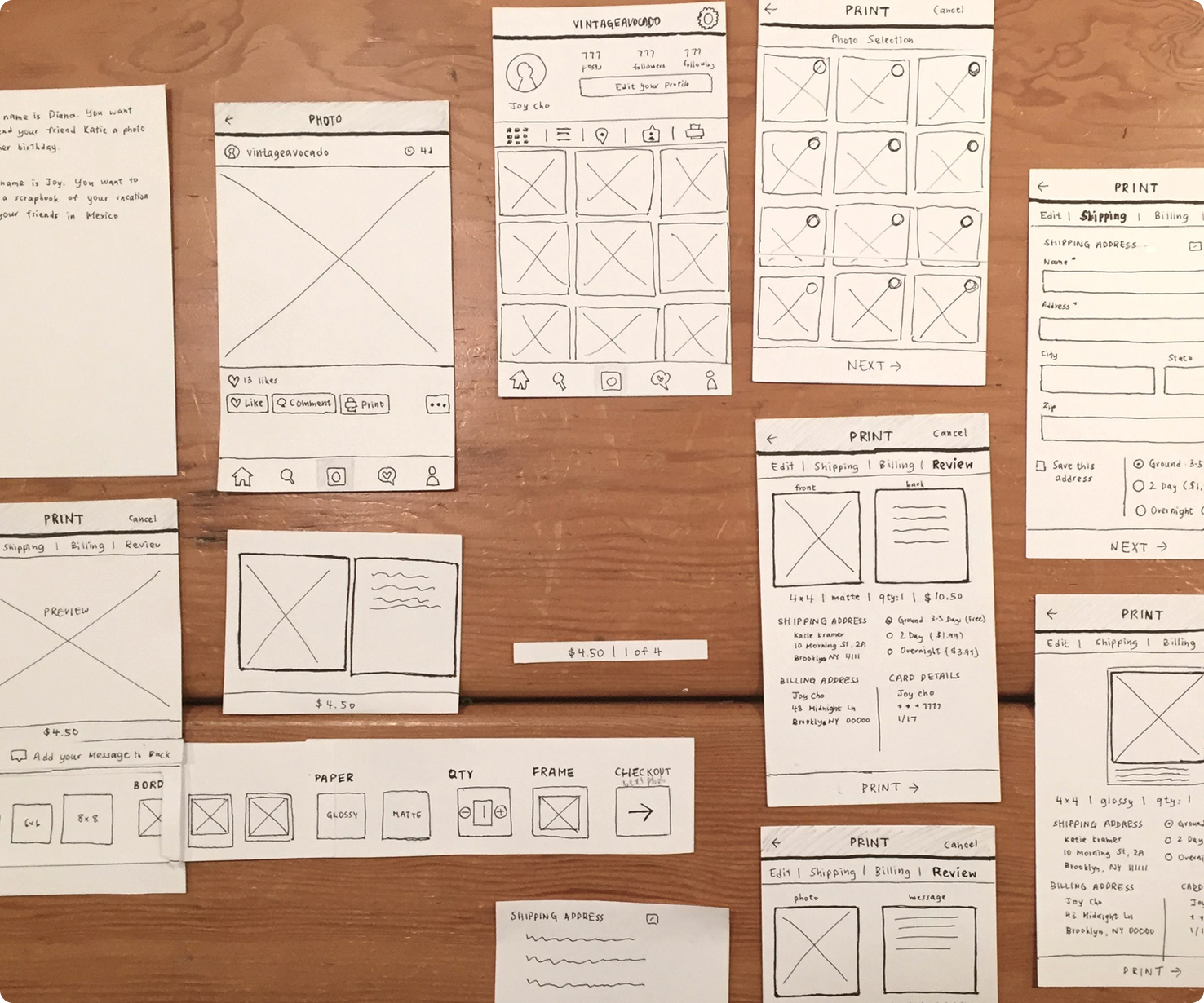
We constructed paper prototypes and conducted user tests to evaluate the functionality of the print feature we envisioned. Key takeaways included:
Expectation for Automatic Navigation: Users anticipated that selecting an option (e.g., print size or paper type) would automatically advance them to the next step. However, some users accidentally selected options and grew frustrated by needing to go back to make corrections.
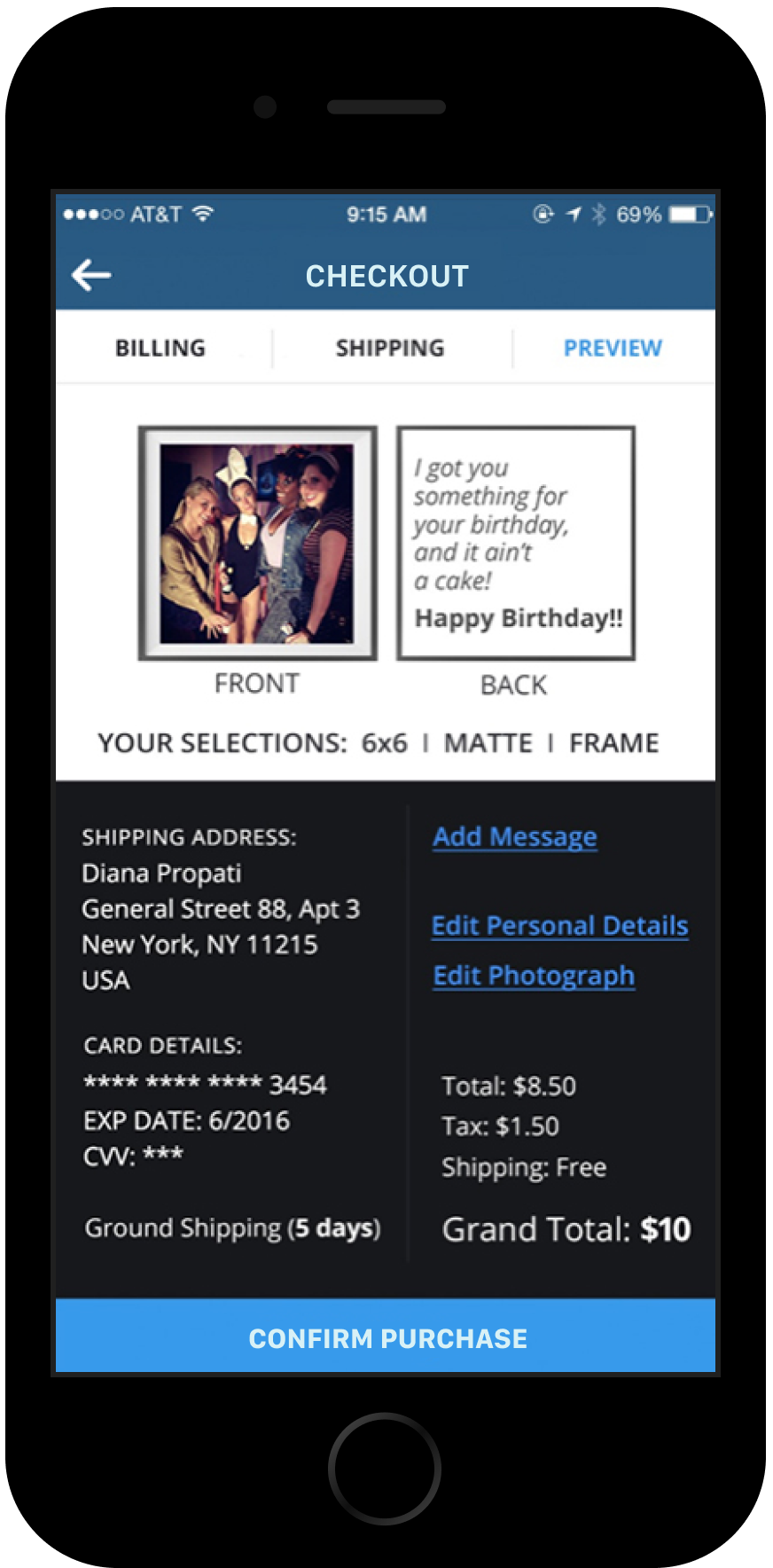
Desire for Streamlined Checkout: Many users wanted the ability to complete their order from the editing page without navigating through every option. To address this, we incorporated pre-selected default options—6x6 paper size, no border, matte finish, and no frame—allowing users to checkout immediately after choosing a photo.
These adjustments ensured a smoother experience as we inched closer to aligning with our goal to keep the feature simple and user-friendly.
Personas
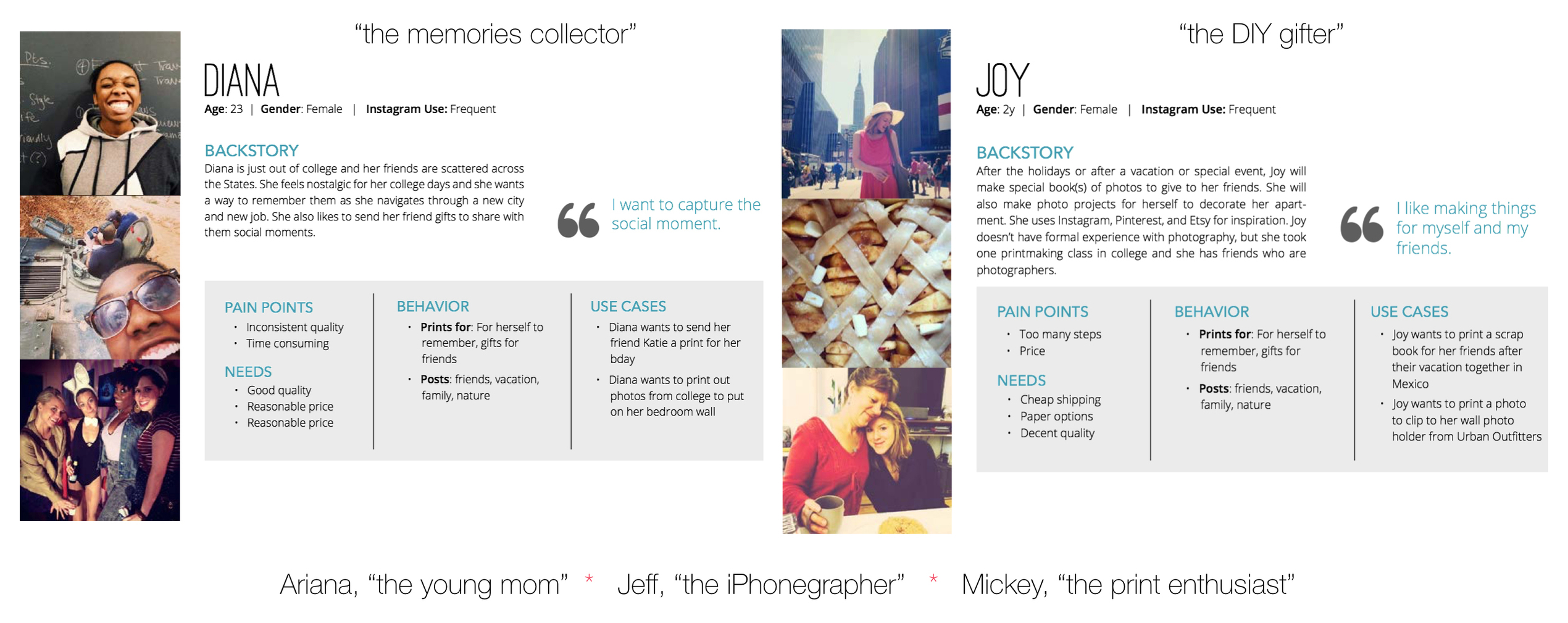
We created five personas all with different needs, pain points, and use cases. I designed the User Flow and Prototype based on Diana’s story and persona.
User Flows
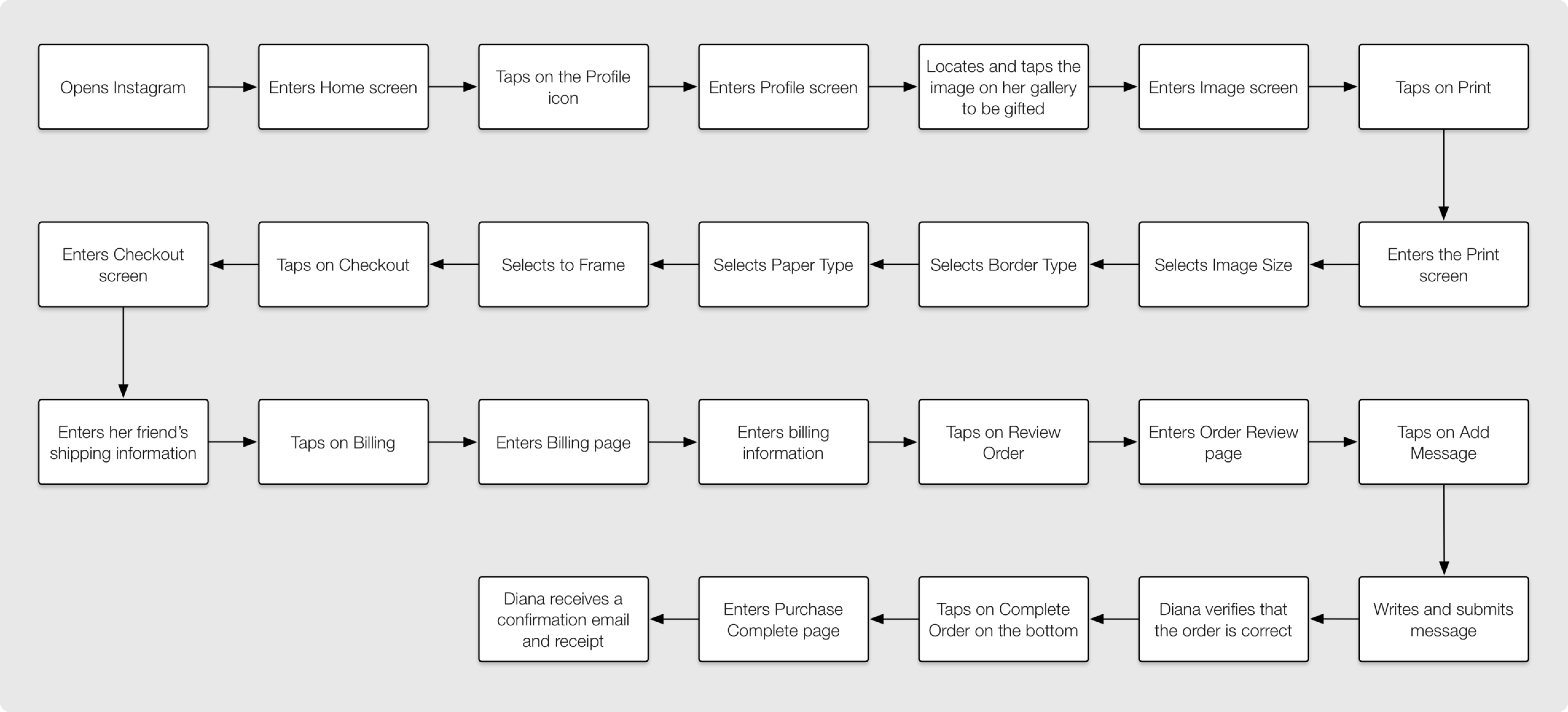
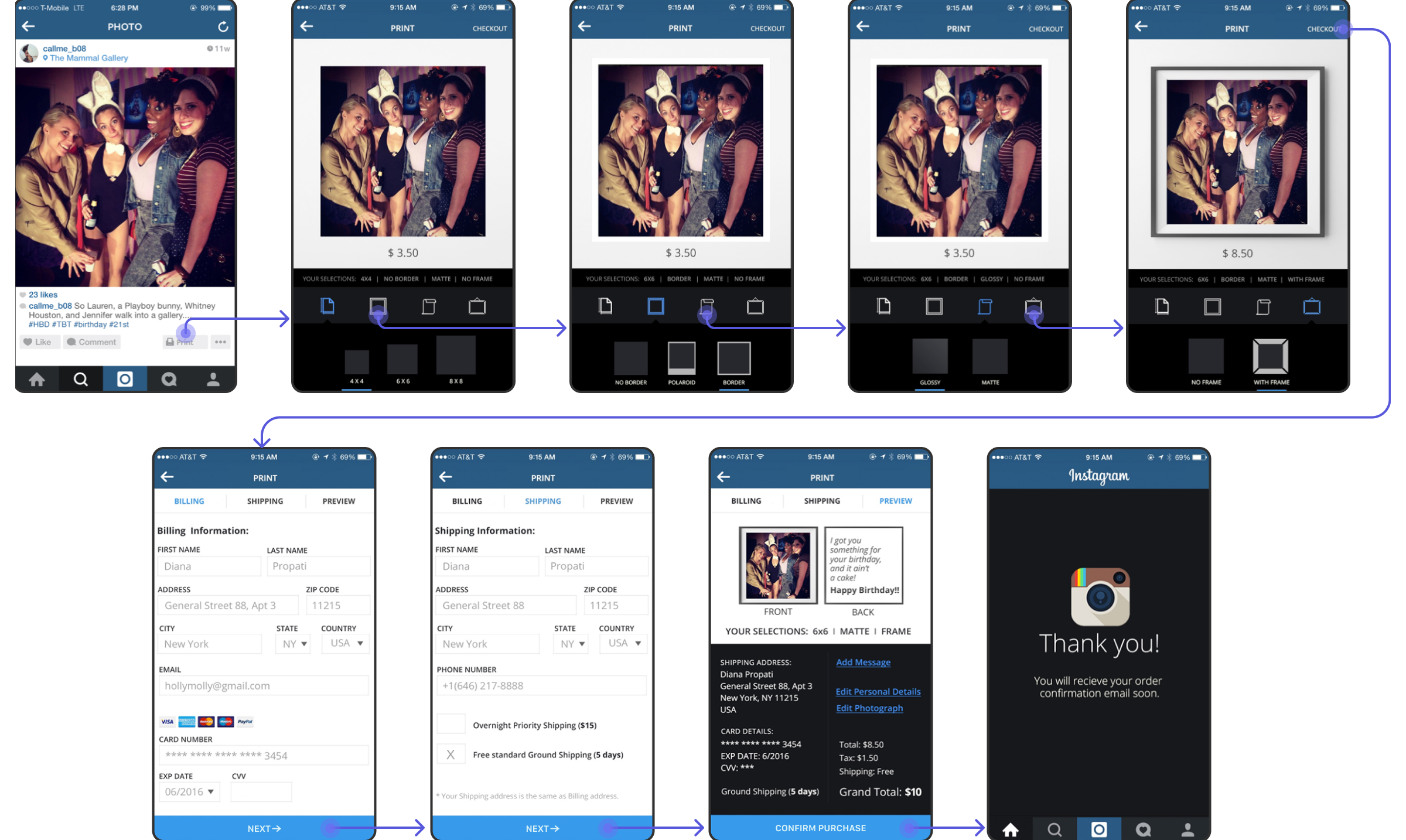
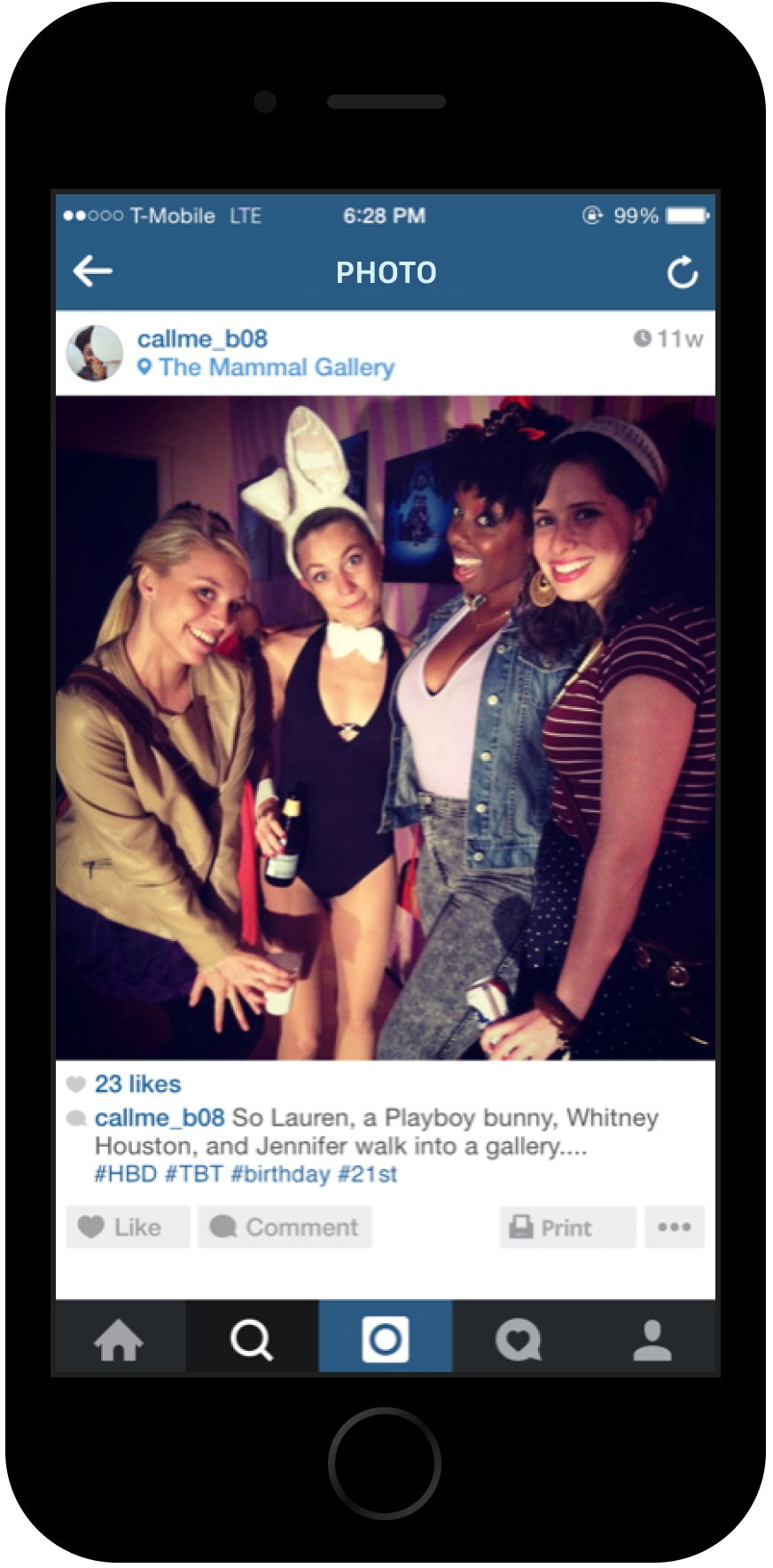
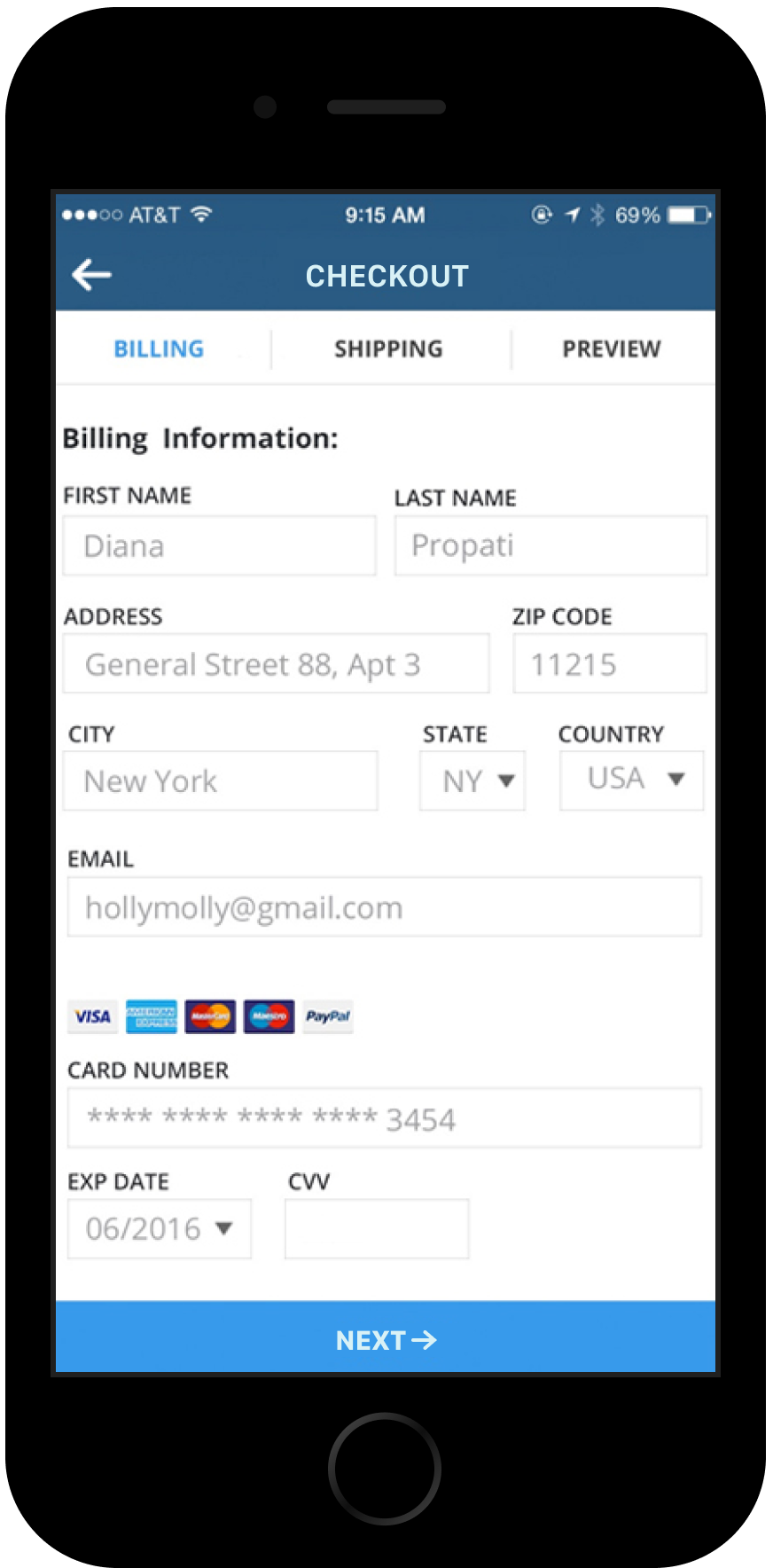
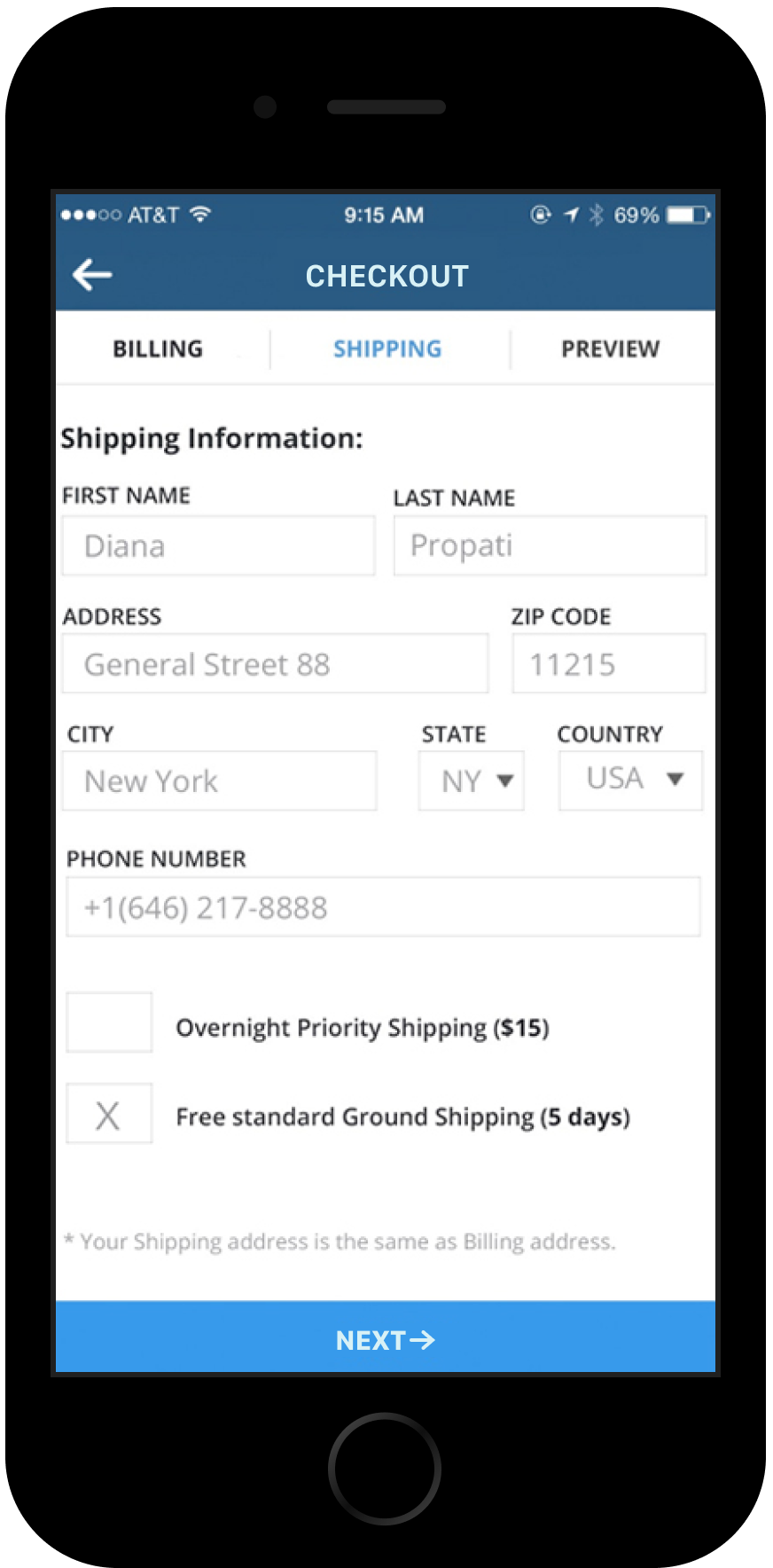
We used the Diana persona to map out a realistic scenario. Diana, a young professional, wants to surprise her friend with a meaningful gift for her upcoming birthday—a memorable photo from their college days. The user flow follows Diana navigating through the customization and ordering process, step-by-step.
This scenario-based flow helped us identify areas where users like Diana could quickly select customization options and proceed to order without unnecessary steps.
DESIGN
Design Iterations
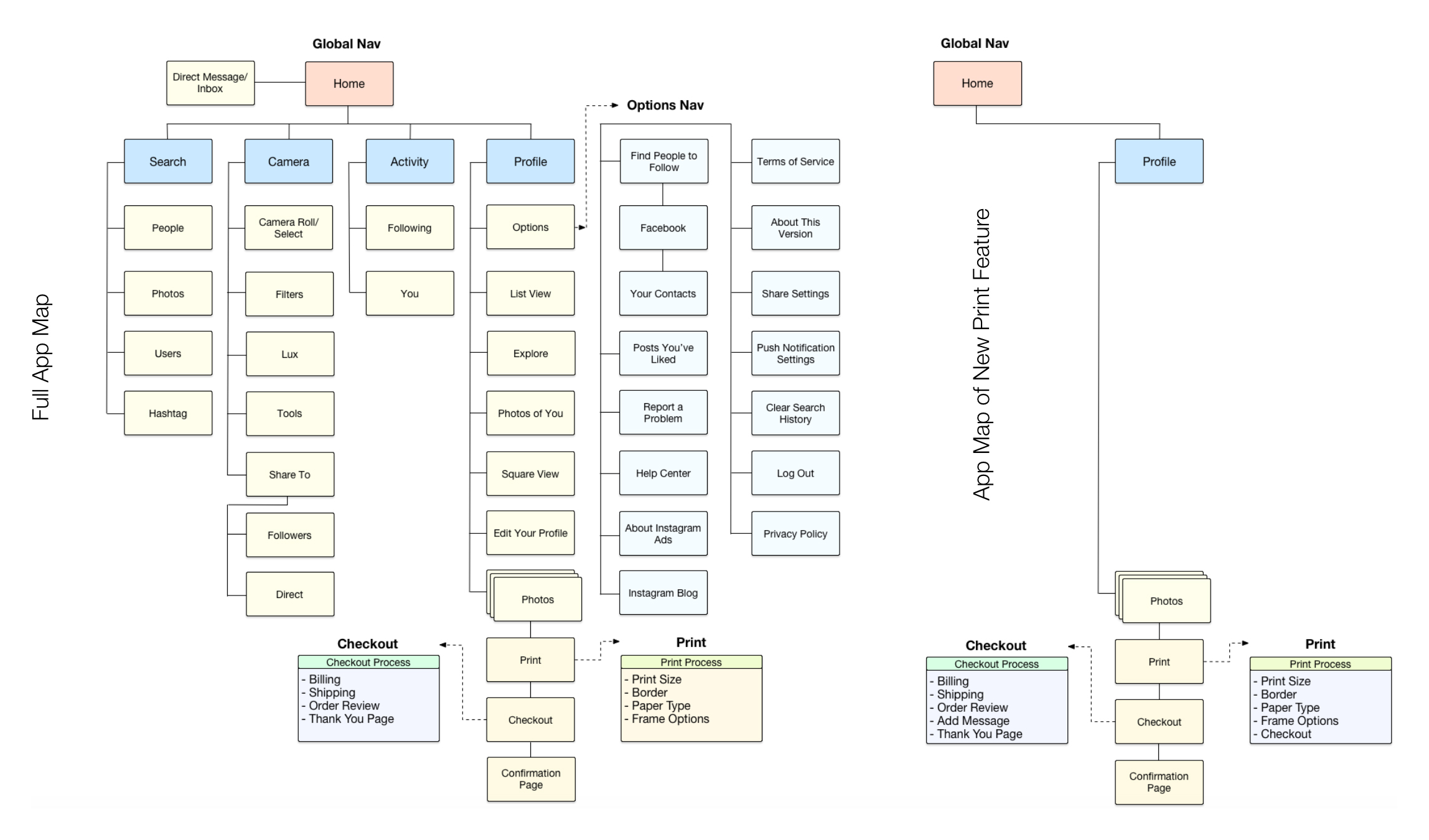
Throughout the design process, we explored numerous variations, but one thing remained constant: we needed to stick with Instagram's look and feel. While we made quick calls on some elements, we conducted user tests with classmates for important features and components. This approach helped us refine the design while staying true to Instagram’s familiar style.
Final Designs
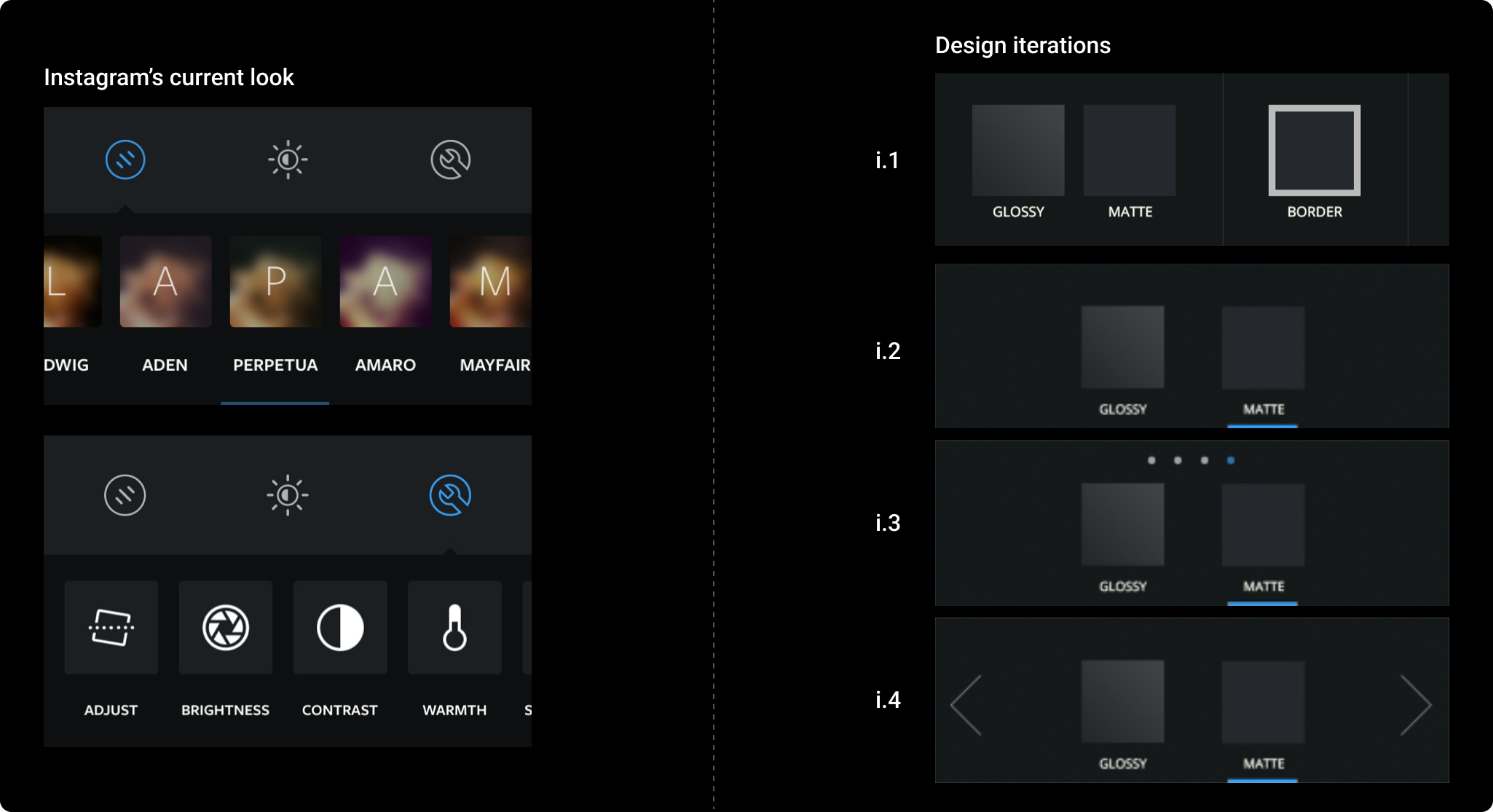
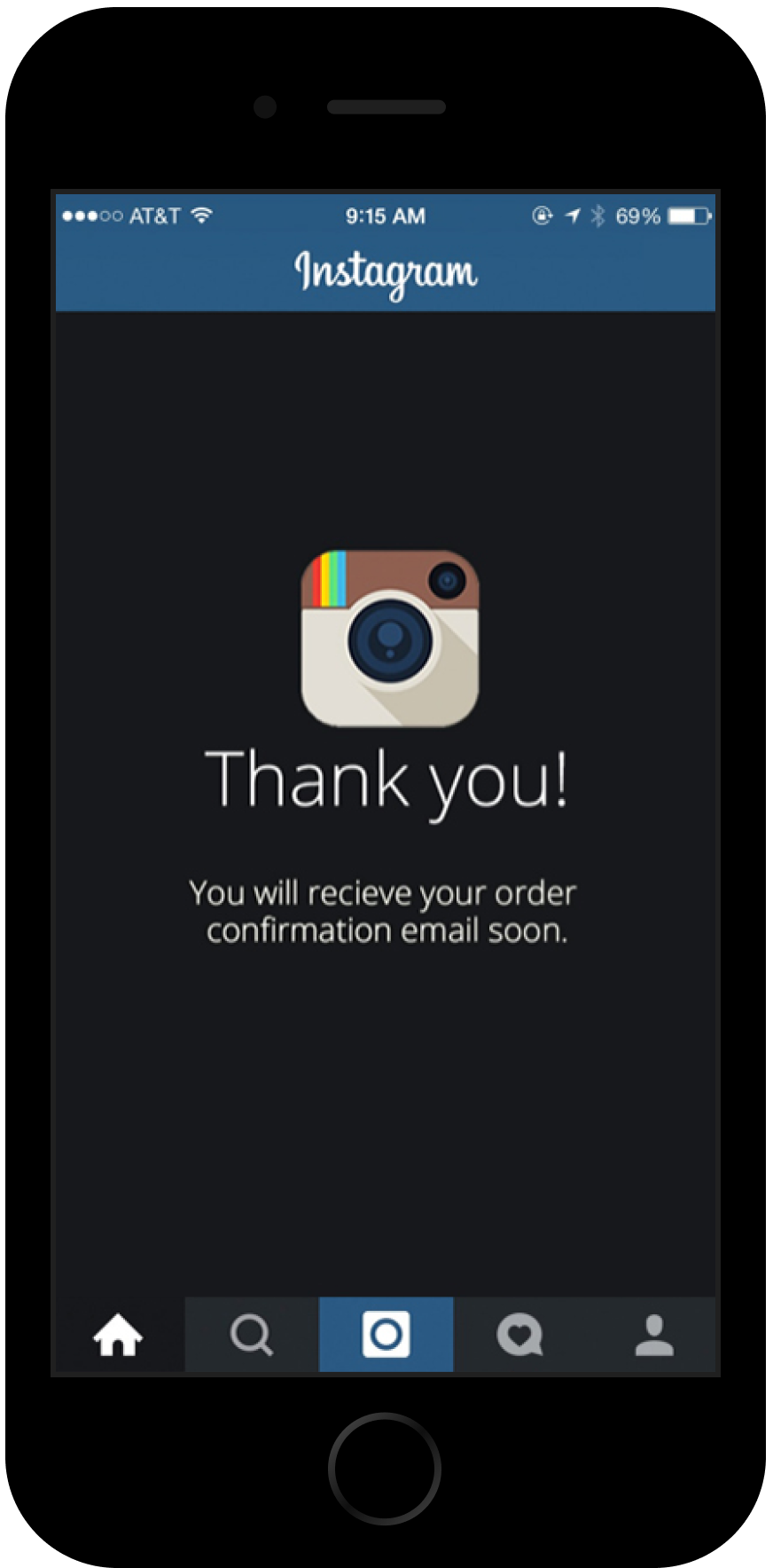
Our goal was to design the print customization options to seamlessly integrate with Instagram’s existing filter and editing tools, for a consistent look and feel. By mirroring Instagram's UI elements, we ensured users could navigate the print feature intuitively, leveraging their familiarity with Instagram’s interface.
END // END // END
